Navigate the displayed claim
In addition to clicking a tab to move to another claim page, there are different options for moving within the claim to other fields.
Thumbnail sketch
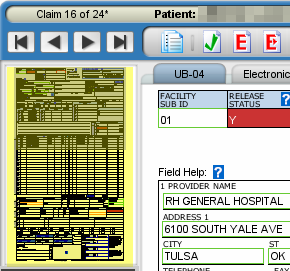
You can navigate within a tab using the “thumbnail” sketch located on the left side of the displayed claim, below the toolbar. Select an area of the thumbnail to move to that section.
Error list
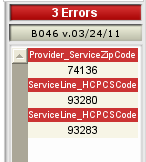
The error list is located below the thumbnail sketch. It specifies the total number of errors with a list of every field error. You can navigate directly to any field with an error by clicking the field name or entry in the list.
Go to field

You can also use the Go To Field button to display a list of all claim fields. Double-click on any field name to move directly to it.